
Check the entry point before signing in
The current browser experience lives at walletwait.app. Open it on a computer or phone, browse public content, and check that the purchase discussion game is the product you intended to find.
A mini program and a website are different access formats. Similar names do not establish shared accounts, purchase histories, or notification settings. Do not assume those connections from a search result.
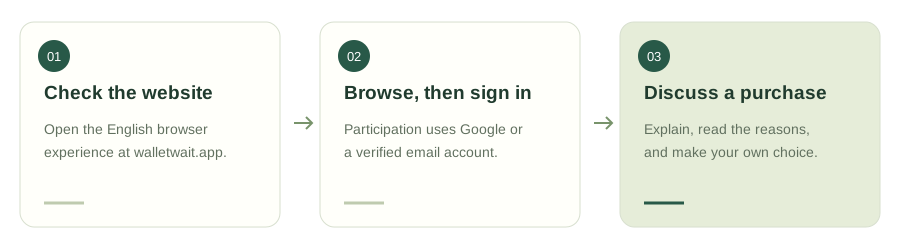
- Check the websiteOpen the English browser experience at walletwait.app.
- Browse, then sign inParticipation uses Google or a verified email account.
- Discuss a purchaseExplain, read the reasons, and make your own choice.
Try one complete discussion in the browser
Consider an electric milk frother. Add its price and currency, explain how often you make coffee, and compare it with a manual frother. A product image can clarify the model.
Send the question to a group or the public square. Reviewers explain their approvals or rejections. If cleaning becomes the key issue, use your one supplement to clarify the cleaning process.
Use the web app's sign-in and workflow
You can browse public content without an account. Participation uses Google sign-in or a verified email account. A WeChat-related search term does not mean the website offers WeChat authorization.
Return to the website to review discussion status; do not rely on mini program subscription notifications for web activity. The button below opens the English interface, without a QR-code step.
Before you choose an entry point
Tick these prompts as you think. Your choices stay on this page and are not saved or sent.
Two ways to look at the same purchase
A reason to support it
Frequent use and easy cleaning would support the purchase.
A reason to reconsider
Check capacity and washing steps before comparing photos.
The example applicant checks cleaning instructions before deciding.
Questions you might have
Is this an official WeChat guide?
No. It describes the Walletwait web app and does not verify other similarly named entry points.
Can I try it without WeChat?
Yes. Use your browser and the sign-in options available on the website.
Will another platform's history appear here?
Cross-platform account and history synchronization is not promised. Check what the current web account actually displays.